MilliLog: Controller diagnostics for iPhone, iPad & Mac

Stop guessing.
See what your controller is really doing.

Find stick drift, missed presses, unreliable triggers, and weak vibration. MilliLog turns every controller signal into live, measurable data.

  • One purchase
  • iPhone, iPad & Mac
  • No ads or tracking
Controller connected LIVE

LEFT STICK

X  +0.043

Y  −0.018

Movement detected at rest

00:14.382Button APressed
00:14.517Right trigger73%
00:14.681Gyroscope Z−0.24
Stick drifts?See movement at rest.
Button misses?Catch every press and release.
Rumble feels weak?Test motors and intensity.
Trigger feels wrong?Try every adaptive effect.

The complete signal path

From “something feels wrong” to evidence you can use.

Whether you are deciding on a repair, validating hardware, or debugging a game, MilliLog gives you a clear answer.

01

Watch every input live

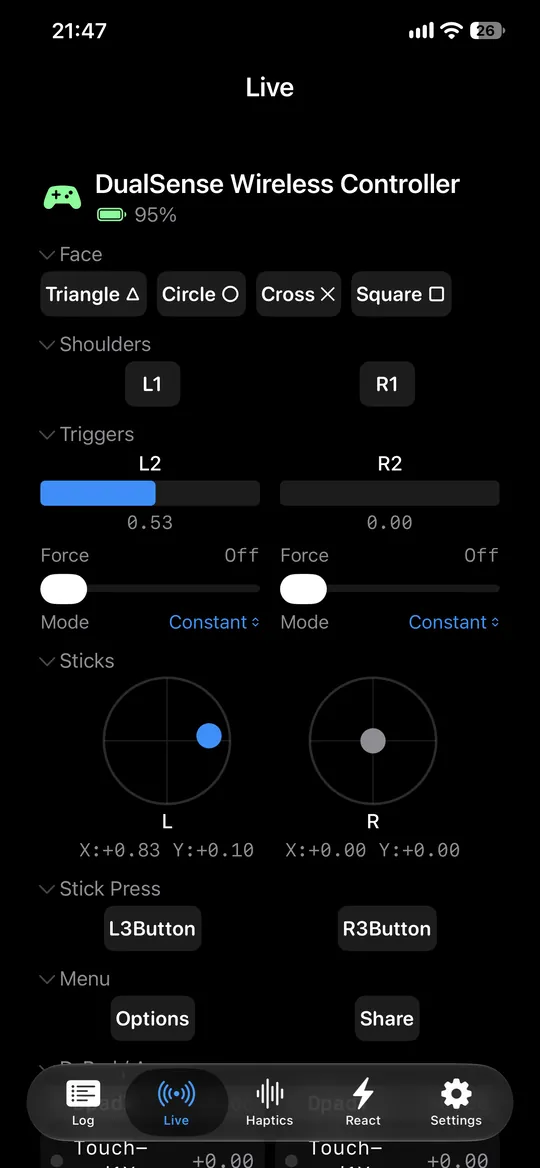
See buttons, sticks, triggers, D-pad, touchpad, and gyroscope data the moment your controller sends it.

  • Multiple controllers at once
  • Dedicated stick views for drift checks
  • Battery level and optional sound feedback
  • Real-time timestamps with millisecond precision
02

Test the hardware you can feel

Run continuous vibration, isolate supported motors, adjust intensity, and change the light bar on compatible controllers.

03

Push DualSense further

Set L2 and R2 independently and try Constant, Weapon, Vibration, and Slope adaptive-trigger effects.

04

Keep a precise record

Capture complete input sessions with millisecond timestamps, then export CSV or JSON for QA reports and deeper analysis.

05

Turn testing into a challenge

React is a built-in reaction game for one to four local players, with best times and streaks on Game Center leaderboards.


New in MilliLog 1.5

Six ways to feel how a controller responds.

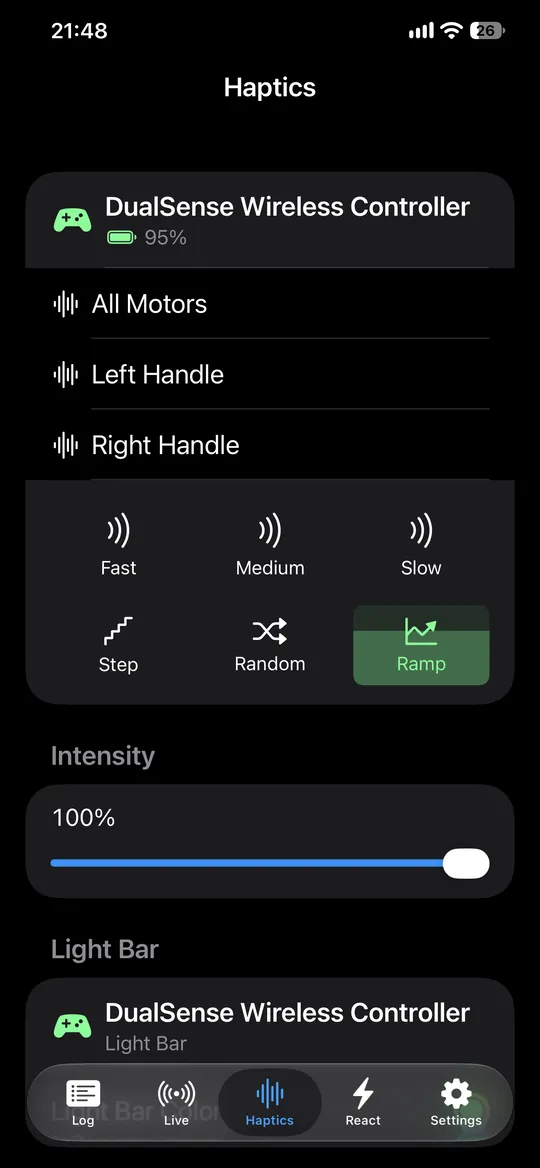
Go beyond a simple on/off rumble check. Compare smooth waves, fixed steps, unpredictable movement, and rising intensity at the strength you choose.

Fast
Medium
Slow
Step
Random
Ramp

One purchase. Three ways to test.

Test wherever your controller is connected.

Buy MilliLog once and use every feature on iPhone, iPad, and Mac.

MilliLog on iPhone showing live button, trigger, and stick readings for a DualSense controller MilliLog on iPhone showing the six haptic patterns and the intensity control

iPhone & iPad

A portable controller lab

Connect, inspect, test, and export without bringing a computer to the bench.

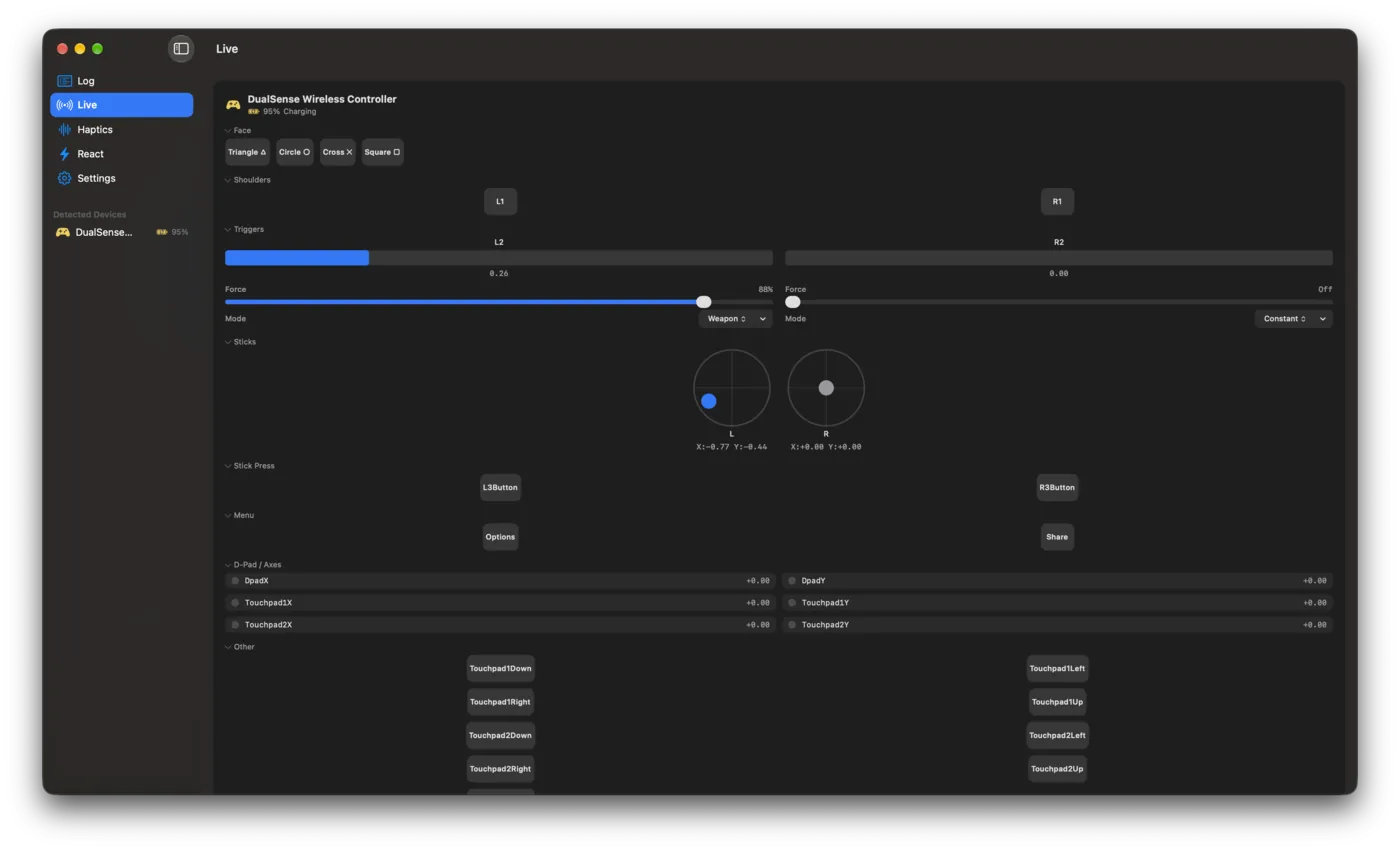
MilliLog for Mac showing the Live view with buttons, triggers, sticks, and touchpad axes

Mac

More room for diagnosis

Connect over Bluetooth or USB, open resizable stick windows, and export directly from the native Mac app.

Compatibility

Built on Apple’s controller framework.

MilliLog supports controllers recognized by Apple’s GameController framework, including DualSense, Xbox Wireless Controller, and all MFi-compatible gamepads.

Generic, older, or USB-only controllers such as classic PS1/PS2 adapters may not be recognized.

Your controller leaves a trail.

MilliLog makes it visible.

One purchase for iPhone, iPad, and Mac. No ads, no tracking, no subscriptions, and no in-app purchases.